
Casio Only 1 left in stock - order soon.
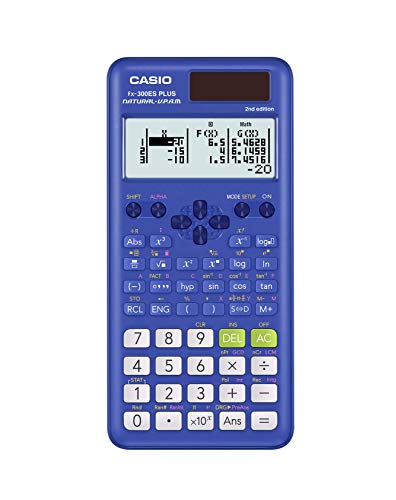
Casio fx-991ES Plus 2 Scientific Calculator with 417 Functions and Display, Natural
$32.30 View on Amazon
Free online Square Root Calculator -- find square roots, cube roots, and nth roots of any number. Also computes squares, cubes, and reciprocals. Identifies perfect squares with up to 6 decimal places of precision.
Using Number: 144, Root Type: Square, Custom Root (n): 5:
The estimated Square Root is 12 (Perfect square).
| Result | Value |
|---|---|
| Square Root | 12 |
| 144 Squared | 20,736 |
| 144 Cubed | 2,985,984 |
| Reciprocal (1/x) | 0 |
Adjust the values in the calculator above for your own scenario.
Preparing Square Root Calculator...
Every calculator is built using industry-standard formulas, validated against authoritative sources, and reviewed for accuracy against our published methodology. All calculations run privately in your browser - no data is stored or shared.
Calculate square roots, cube roots, and nth roots of any number with precision up to six decimal places. This tool also displays the square and cube of your input alongside the reciprocal, making it a one-stop resource for students, engineers, and anyone working with radicals or exponent problems. Perfect squares are automatically identified when detected.
The nth root of a number x is computed using the formula:
result = x^(1/n)
where n is the root degree. A square root uses n = 2, a cube root uses n = 3, and you can enter any integer root. This is equivalent to raising x to the fractional exponent 1/n. For a perfect square, the result is a whole integer with no decimal component -- for example, sqrt(169) = 13 exactly because 13 x 13 = 169.
For non-perfect inputs, the result is an irrational number. For example, sqrt(2) = 1.414214, a decimal that never terminates or repeats.
Example 1 -- geometry (Pythagorean theorem): A right triangle has legs of length 5 and 12. The hypotenuse = sqrt(5^2 + 12^2) = sqrt(25 + 144) = sqrt(169) = 13. This is a perfect square, giving an exact whole-number answer.
Example 2 -- cube root for volume: A cube has a volume of 512 cubic centimeters. Side length = cbrt(512) = 8 cm exactly, because 8 x 8 x 8 = 512.
Example 3 -- irrational result: A square tile has an area of 50 square inches. Side length = sqrt(50) = 7.071068 inches. Since 50 is not a perfect square, the result is irrational and rounded to six decimal places.
| Number | sqrt(n) | cbrt(n) | n^2 | n^3 |
|---|---|---|---|---|
| 1 | 1.000000 | 1.000000 | 1 | 1 |
| 4 | 2.000000 | 1.587401 | 16 | 64 |
| 9 | 3.000000 | 2.080084 | 81 | 729 |
| 16 | 4.000000 | 2.519842 | 256 | 4,096 |
| 25 | 5.000000 | 2.924018 | 625 | 15,625 |
| 50 | 7.071068 | 3.684031 | 2,500 | 125,000 |
| 100 | 10.000000 | 4.641589 | 10,000 | 1,000,000 |
| 144 | 12.000000 | 5.241483 | 20,736 | 2,985,984 |
| 225 | 15.000000 | 6.082202 | 50,625 | 11,390,625 |
| 512 | 22.627417 | 8.000000 | 262,144 | 134,217,728 |
Square roots and cube roots appear across science, engineering, and everyday problem solving. In construction, finding the diagonal of a rectangular room requires the Pythagorean theorem: a 9 ft x 12 ft room has a diagonal of sqrt(81 + 144) = sqrt(225) = 15 ft. In electrical engineering, the root mean square (RMS) of an AC voltage is calculated using a square root -- standard US household voltage of 120V RMS is derived this way. In astronomy, Kepler's third law uses cube roots to relate a planet's orbital period to its distance from the sun. In finance, volatility is measured as the square root of variance -- a portfolio with variance 0.0225 has a standard deviation (volatility) of 0.15, or 15%. In statistics, the standard error of a mean equals the standard deviation divided by sqrt(n), where n is the sample size.
Percentage Calculator: Try our free percentage calculator for instant results.
Fraction Calculator: Try our free fraction calculator for instant results.
Basic Calculator: Try our free basic calculator for instant results.
Scientific Calculator: Try our free scientific calculator for instant results.
Statistics Calculator: Try our free statistics calculator for instant results.
Date Calculator: Try our free date calculator for instant results.
Copy this citation for papers, articles, or coursework:
Alex Crabinsky. "Square Root Calculator." Numeraty, February 23, 2026, https://numeraty.com/square-root-calculator/ Exam-approved Casio scientific calculators that handle the functions above.
As an Amazon Associate, we earn from qualifying purchases. Prices and availability are subject to change. Prices checked Sep 22, 2026.

Free online Age Calculator -- find your exact age in years, months, days, weeks, and total days from your date of birth. Includes next birthday countdown and milestone tracking.
Math & ScienceFree online Basic Calculator -- perform addition, subtraction, multiplication, division, exponents, and modulo operations. Instant results with up to 10 decimal places of precision.
Math & ScienceFree online Binary, Hexadecimal, and Decimal Converter -- convert between base-2, base-10, and base-16 number systems instantly. Essential for programming, computer science, and digital electronics.
Math & ScienceFree online Date Calculator -- find the exact number of days, weeks, months, and years between any two dates. Calculate date differences for project planning, contracts, age verification, and event countdowns.
Math & ScienceFree online Fraction Calculator -- add, subtract, multiply, and divide fractions with automatic simplification. Shows results as fractions and decimals. Supports mixed numbers and improper fractions.
Math & ScienceFree Fuel Consumption Converter -- convert between MPG (US), MPG (UK), L/100km, and km/L. Compare fuel economy ratings across US, UK, and metric systems for any vehicle.
Math & ScienceFree online GPA Calculator -- compute your grade point average from letter grades and credit hours. Supports weighted and unweighted GPA on a 4.0 scale with instant results.
Math & ScienceFree online Grade Calculator -- compute your weighted course grade from assignments, exams, and projects. Find out what score you need on your final exam to reach your target grade.
Math & ScienceFree online Logarithm Calculator -- compute common log (base 10), natural log (ln), and logarithms of any base. Includes log rules, formulas, and real-world applications.
Math & ScienceFree online Matrix Calculator -- perform matrix addition, subtraction, multiplication, transposition, and find determinants and inverses. Supports 2x2 and 3x3 matrices with step-by-step results.
Math & ScienceFree online Mean, Median, and Mode Calculator -- enter a data set to instantly compute all three measures of central tendency plus range and count. Includes explanations of when to use each measure.
Math & ScienceFree online Percentage Calculator -- find a percentage of a number, calculate percentage increase or decrease, compute percentage change, and determine percentage difference. Instant results with formulas and examples.