
Casio Only 1 left in stock - order soon.
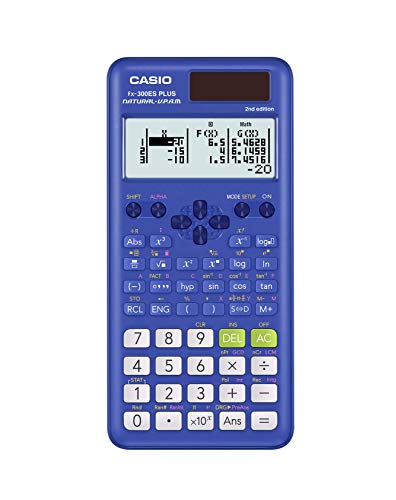
Casio fx-991ES Plus 2 Scientific Calculator with 417 Functions and Display, Natural
$32.30 View on Amazon
Free online Date Calculator -- find the exact number of days, weeks, months, and years between any two dates. Calculate date differences for project planning, contracts, age verification, and event countdowns.
Using Start Year: 2,024, Start Month: January, Start Day: 1, End Year: 2,026:
The estimated Total Days is 784 days.
| Result | Value |
|---|---|
| Total Days | 784 days |
| Duration | 2 yr, 1 mo, 22 days |
| Weeks & Days | 112 weeks, 0 days |
| Total Hours | 18,816 |
| Total Minutes | 1,128,960 |
Adjust the values in the calculator above for your own scenario.
Preparing Date Calculator...
Every calculator is built using industry-standard formulas, validated against authoritative sources, and reviewed for accuracy against our published methodology. All calculations run privately in your browser - no data is stored or shared.
Counting the days between two dates by hand is surprisingly error-prone -- months have different lengths, leap years add an extra day, and mental arithmetic across year boundaries tends to drift. This calculator converts any two dates into an exact day count, a week-and-remainder breakdown, and a years/months/days summary, covering everything from project deadlines to contract durations to age calculations.
The calculator converts both dates to a timestamp (milliseconds since a fixed reference point), subtracts the earlier from the later, then divides by 86,400,000 -- the number of milliseconds in a calendar day -- to get total days. Weeks equal total days divided by 7, with the remainder shown separately. The years/months/days breakdown works calendar-by-calendar: subtract years first, then months, borrowing as needed to handle months of unequal length and February in leap years.
The key rule for leap years: a year is a leap year if it is divisible by 4, except century years (1800, 1900) which must be divisible by 400 -- so 2000 was a leap year but 1900 was not.
Example 1 -- Project deadline countdown A software release is scheduled for September 30, 2026. From today, April 10, 2026, the difference is 173 days (24 weeks, 5 days; 0 years, 5 months, 20 days). With 5-day work weeks and 10 scheduled holidays, that is approximately 113 working days available.
Example 2 -- Lease term verification A 2-year commercial lease starts January 15, 2025 and is supposed to end January 14, 2027. The date calculator confirms: January 15, 2025 to January 14, 2027 = 730 days (104 weeks, 2 days; 1 year, 11 months, 30 days). Since 2026 is not a leap year, 730 days is exactly 2 years -- the lease term checks out.
Example 3 -- Age calculation Someone born on August 22, 1988 wants their exact age on April 10, 2026. The calculator returns: 13,745 days, 1,963 weeks + 4 days, or 37 years, 7 months, 19 days. This level of detail is used in age-eligibility checks for insurance, pensions, and legal documents.
| Start Date | End Date | Total Days | Weeks + Days | Y / M / D |
|---|---|---|---|---|
| Jan 1, 2025 | Dec 31, 2025 | 364 | 52 wks, 0 days | 0 yrs, 11 mo, 30 days |
| Jan 1, 2025 | Jan 1, 2026 | 365 | 52 wks, 1 day | 1 yr, 0 mo, 0 days |
| Jan 1, 2024 | Jan 1, 2025 | 366 | 52 wks, 2 days | 1 yr, 0 mo, 0 days |
| Mar 1, 2025 | Mar 1, 2026 | 365 | 52 wks, 1 day | 1 yr, 0 mo, 0 days |
| Feb 1, 2024 | Mar 1, 2024 | 29 | 4 wks, 1 day | 0 yrs, 0 mo, 29 days |
| Feb 1, 2025 | Mar 1, 2025 | 28 | 4 wks, 0 days | 0 yrs, 0 mo, 28 days |
| Apr 10, 2026 | Jan 1, 2027 | 266 | 38 wks, 0 days | 0 yrs, 8 mo, 22 days |
| Jun 15, 2020 | Apr 10, 2026 | 2,125 | 303 wks, 4 days | 5 yrs, 9 mo, 26 days |
Date calculations come up in legal and financial contexts where an off-by-one error has real consequences. Mortgage servicers calculate interest accrual to the day; landlords and tenants dispute lease end dates; courts calculate statutes of limitations in calendar days from a specific event date. Insurance policies specify waiting periods in exact days, and many employment contracts define probationary periods that trigger benefits eligibility on a precise date. Using a calculator removes the guesswork and provides a defensible, reproducible answer.
Percentage Calculator: Try our free percentage calculator for instant results.
Fraction Calculator: Try our free fraction calculator for instant results.
Basic Calculator: Try our free basic calculator for instant results.
Scientific Calculator: Try our free scientific calculator for instant results.
Statistics Calculator: Try our free statistics calculator for instant results.
Square Root Calculator: Try our free square root calculator for instant results.
Copy this citation for papers, articles, or coursework:
Alex Crabinsky. "Date Calculator." Numeraty, February 23, 2026, https://numeraty.com/date-calculator/ Exam-approved Casio scientific calculators that handle the functions above.
As an Amazon Associate, we earn from qualifying purchases. Prices and availability are subject to change. Prices checked Sep 22, 2026.

Free online Age Calculator -- find your exact age in years, months, days, weeks, and total days from your date of birth. Includes next birthday countdown and milestone tracking.
Math & ScienceFree online Basic Calculator -- perform addition, subtraction, multiplication, division, exponents, and modulo operations. Instant results with up to 10 decimal places of precision.
Math & ScienceFree online Binary, Hexadecimal, and Decimal Converter -- convert between base-2, base-10, and base-16 number systems instantly. Essential for programming, computer science, and digital electronics.
Math & ScienceFree online Fraction Calculator -- add, subtract, multiply, and divide fractions with automatic simplification. Shows results as fractions and decimals. Supports mixed numbers and improper fractions.
Math & ScienceFree Fuel Consumption Converter -- convert between MPG (US), MPG (UK), L/100km, and km/L. Compare fuel economy ratings across US, UK, and metric systems for any vehicle.
Math & ScienceFree online GPA Calculator -- compute your grade point average from letter grades and credit hours. Supports weighted and unweighted GPA on a 4.0 scale with instant results.
Math & ScienceFree online Grade Calculator -- compute your weighted course grade from assignments, exams, and projects. Find out what score you need on your final exam to reach your target grade.
Math & ScienceFree online Logarithm Calculator -- compute common log (base 10), natural log (ln), and logarithms of any base. Includes log rules, formulas, and real-world applications.
Math & ScienceFree online Matrix Calculator -- perform matrix addition, subtraction, multiplication, transposition, and find determinants and inverses. Supports 2x2 and 3x3 matrices with step-by-step results.
Math & ScienceFree online Mean, Median, and Mode Calculator -- enter a data set to instantly compute all three measures of central tendency plus range and count. Includes explanations of when to use each measure.
Math & ScienceFree online Percentage Calculator -- find a percentage of a number, calculate percentage increase or decrease, compute percentage change, and determine percentage difference. Instant results with formulas and examples.
Math & ScienceFree online Probability Calculator -- compute single event probability, combined probability for independent and dependent events, and complementary probability. Includes formulas and practical examples.