
Casio Only 1 left in stock - order soon.
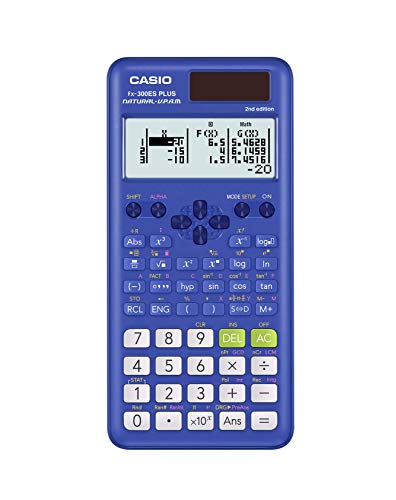
Casio fx-991ES Plus 2 Scientific Calculator with 417 Functions and Display, Natural
$32.30 View on Amazon
Free online Basic Calculator -- perform addition, subtraction, multiplication, division, exponents, and modulo operations. Instant results with up to 10 decimal places of precision.
Using First Number: 42, Operation: +, Second Number: 18:
The estimated Result is 60 (42 + 18).
| Result | Value |
|---|---|
| Result | 60 |
| Sum (A + B) | 60 |
| Difference (A − B) | 24 |
| Product (A × B) | 756 |
Adjust the values in the calculator above for your own scenario.
Preparing Basic Calculator...
Every calculator is built using industry-standard formulas, validated against authoritative sources, and reviewed for accuracy against our published methodology. All calculations run privately in your browser - no data is stored or shared.
A reliable basic calculator handles the six fundamental arithmetic operations that appear constantly in everyday math: addition, subtraction, multiplication, division, exponentiation, and modulo. This calculator takes two number inputs, applies any of those six operations, and returns a result accurate to 10 decimal places. It also displays the sum, difference, and product of your two numbers at the same time -- useful whenever you want to check multiple operations without re-entering your values.
Each operation applies a standard mathematical function to input values A and B:
Results display up to 10 decimal places, which is sufficient precision for financial calculations, science homework, and most engineering estimates.
Example 1 -- Financial compound growth using power An investor wants to know the future value of $1 at 7% annual return over 30 years. Set A = 1.07, B = 30, operation = power. Result: 7.6122545... -- meaning $1 grows to $7.61. For $5,000 in principal, simply multiply: $5,000 x 7.6123 = $38,061.
Example 2 -- Checking divisibility using modulo A manager is splitting 347 items across 12 warehouse locations and needs to know if they divide evenly, and if not, how many items are left over. Set A = 347, B = 12, operation = modulo. Result: 11. So 12 locations each get 28 items (12 x 28 = 336), with 11 items remaining for manual assignment.
Example 3 -- Unit conversion using multiplication and division A traveler wants to convert 85 miles per hour to kilometers per hour. Miles to kilometers: multiply by 1.60934. Set A = 85, B = 1.60934, operation = multiply. Result: 136.794 km/h. Then to find minutes per kilometer, divide 60 by 136.794: A = 60, B = 136.794, divide -- result: 0.4386 minutes per km, or about 26 seconds.
| Operation | Notation | Example A | Example B | Result | Notes |
|---|---|---|---|---|---|
| Addition | A + B | 1,450 | 372 | 1,822 | Combines totals |
| Subtraction | A - B | 5,000 | 1,847 | 3,153 | Finds difference |
| Multiplication | A x B | 24 | 7.5 | 180 | Scaling |
| Division | A / B | 500 | 8 | 62.5 | B cannot be zero |
| Power | A ^ B | 1.05 | 20 | 2.6533 | 5% return x 20 years |
| Modulo | A % B | 100 | 7 | 2 | 100 / 7 = 14 r 2 |
| Power (large) | A ^ B | 2 | 32 | 4,294,967,296 | Integer result |
| Division (decimal) | A / B | 1 | 3 | 0.3333333333 | 10 decimal places |
The six operations covered here form the foundation of every area of quantitative work. Addition and subtraction appear in budgeting, accounting reconciliation, and inventory management. Multiplication and division are the workhorses of unit conversion, ratio analysis, pricing, and rate calculations. Exponentiation is central to compound interest, population growth modeling, and any calculation involving percentage rates applied repeatedly over time -- 1.08^25 instantly tells you a dollar at 8% annual growth becomes $6.85 after 25 years. Modulo is used in computer programming to test divisibility, build circular counters, and distribute items evenly across groups. For students, these operations map directly to the foundational layers of algebra, finance, and statistics coursework.
Percentage Calculator: Try our free percentage calculator for instant results.
Fraction Calculator: Try our free fraction calculator for instant results.
Scientific Calculator: Try our free scientific calculator for instant results.
Statistics Calculator: Try our free statistics calculator for instant results.
Square Root Calculator: Try our free square root calculator for instant results.
Date Calculator: Try our free date calculator for instant results.
Copy this citation for papers, articles, or coursework:
Alex Crabinsky. "Basic Calculator." Numeraty, February 23, 2026, https://numeraty.com/basic-calculator/ Exam-approved Casio scientific calculators that handle the functions above.
As an Amazon Associate, we earn from qualifying purchases. Prices and availability are subject to change. Prices checked Sep 22, 2026.

Free online Age Calculator -- find your exact age in years, months, days, weeks, and total days from your date of birth. Includes next birthday countdown and milestone tracking.
Math & ScienceFree online Binary, Hexadecimal, and Decimal Converter -- convert between base-2, base-10, and base-16 number systems instantly. Essential for programming, computer science, and digital electronics.
Math & ScienceFree online Date Calculator -- find the exact number of days, weeks, months, and years between any two dates. Calculate date differences for project planning, contracts, age verification, and event countdowns.
Math & ScienceFree online Fraction Calculator -- add, subtract, multiply, and divide fractions with automatic simplification. Shows results as fractions and decimals. Supports mixed numbers and improper fractions.
Math & ScienceFree Fuel Consumption Converter -- convert between MPG (US), MPG (UK), L/100km, and km/L. Compare fuel economy ratings across US, UK, and metric systems for any vehicle.
Math & ScienceFree online GPA Calculator -- compute your grade point average from letter grades and credit hours. Supports weighted and unweighted GPA on a 4.0 scale with instant results.
Math & ScienceFree online Grade Calculator -- compute your weighted course grade from assignments, exams, and projects. Find out what score you need on your final exam to reach your target grade.
Math & ScienceFree online Logarithm Calculator -- compute common log (base 10), natural log (ln), and logarithms of any base. Includes log rules, formulas, and real-world applications.
Math & ScienceFree online Matrix Calculator -- perform matrix addition, subtraction, multiplication, transposition, and find determinants and inverses. Supports 2x2 and 3x3 matrices with step-by-step results.
Math & ScienceFree online Mean, Median, and Mode Calculator -- enter a data set to instantly compute all three measures of central tendency plus range and count. Includes explanations of when to use each measure.
Math & ScienceFree online Percentage Calculator -- find a percentage of a number, calculate percentage increase or decrease, compute percentage change, and determine percentage difference. Instant results with formulas and examples.
Math & ScienceFree online Probability Calculator -- compute single event probability, combined probability for independent and dependent events, and complementary probability. Includes formulas and practical examples.